
New here? Start here
Getting Started
Learn each piece of the Metallicus stack in a minute, then follow the step-by-step guide.
WebAuth Wallet
Your @name, your wallet and your login for the whole stack.
WebAuth is the native wallet of XPR Network, built by Metallicus. Signing up creates a free on-chain account with a human-readable @name (like @paul) instead of a long hex address. That @name is where people send you tokens, and it is how you log in to apps like Metal X and XPR Pulse.
It is self-custody: your keys stay on your device and you approve every transaction with Face ID, Touch ID, Windows Hello or a YubiKey. Your 12-word recovery phrase is the only way back in if you lose the device. You can use it in the browser at webauth.com or in the iOS and Android apps.
- Free to create
- Human-readable @name
- Biometric signing
- Self-custody
- Web, iOS and Android

Metal X button is an affiliate link: new Metal X traders get 5% off DEX fees for a year, and XPR Pulse may earn a share of fees. Scan the code to open it on your phone.
Swipe left or right to change step
STEP 1 OF 9
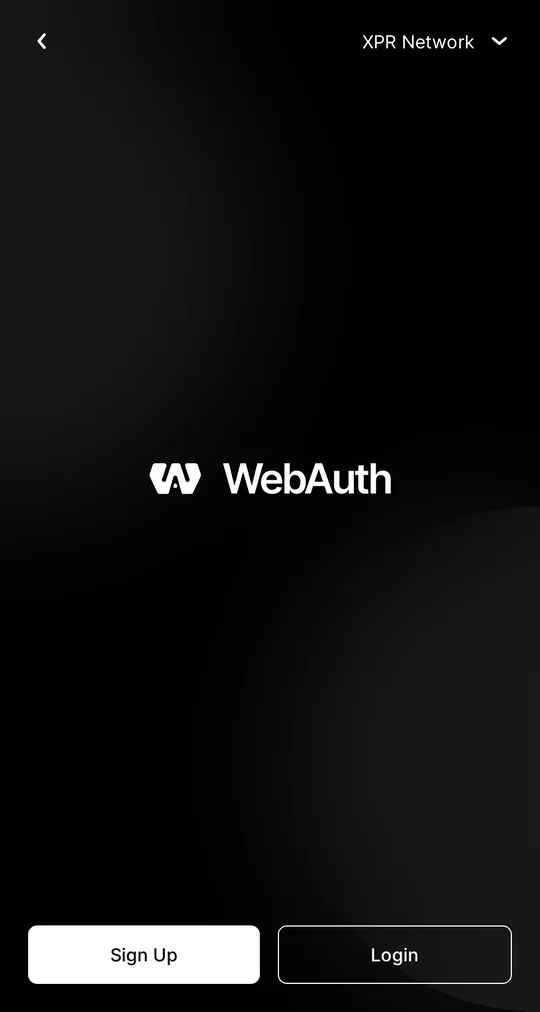
Open WebAuth and tap Sign Up
Go to webauth.com in your browser (or open the WebAuth app) and choose Sign Up. The network selector at the top should say XPR Network.
Already have an account? Choose Login instead and import it with your recovery phrase or private key.
Screenshots taken on webauth.com in September 2026. Recovery words are blurred on purpose. More help: XPR Network Help Center.
Prefer your phone? The WebAuth app follows the same steps and keeps your key in the phone’s secure chip, unlocked with Face ID or your fingerprint.
Next in the stack
Videos and guides for each component are coming one at a time.